Your production, delivered at scale
Push a finished RTMP feed from OBS, Wirecast or vMix. Videosync delivers it on EU-based infrastructure to up to 50,000 concurrent viewers.
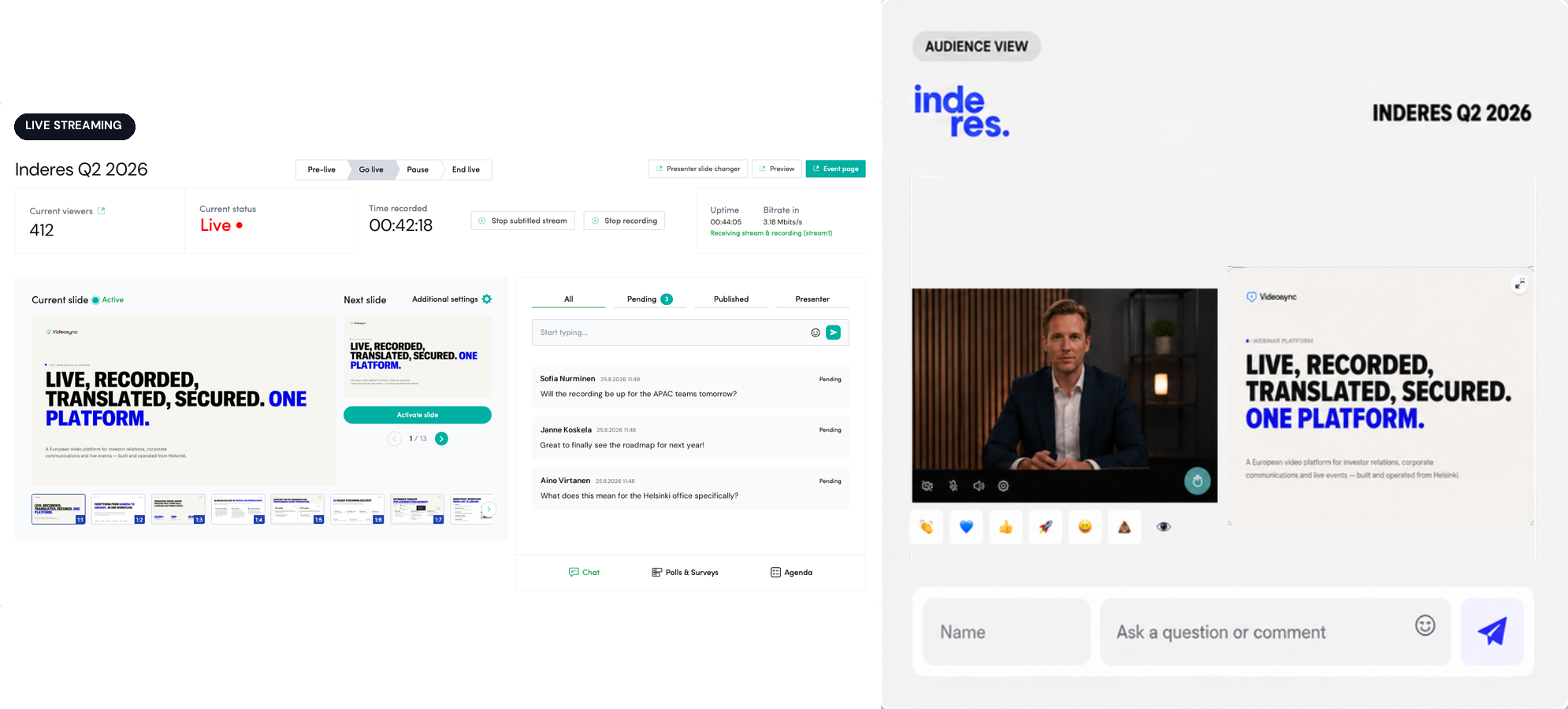
Push it in the way your team already works
Live Streaming is the RTMP path. The show is produced somewhere else, in a control room, on a vision mixer, or on a laptop running OBS, and one finished feed reaches Videosync over a standard RTMP connection.
OBS, Wirecast, vMix
Point any RTMP-capable production system at your Videosync ingest URL and stream key, and go live the same way your team already runs a broadcast.
A full multi-camera build
Switched cameras, lower thirds, sponsor graphics, a title sequence: whatever your production outputs becomes the single RTMP feed Videosync receives. The complexity stays in your gallery, not in the connection to us.
Stage and hybrid events
On-premise broadcast gear, a directed show, mixed feeds from the room: the same RTMP path carries an event with a crew and an audience in front of the stage.
Whichever source it comes from, the feed is transcoded onto the same adaptive bitrate ladder every viewer's player already knows how to read. Running the show for a client rather than for yourself? See what Videosync offers production teams and agencies.
Ingest to player, in four hops
Ingest and transcoding run on EU-based infrastructure in Stockholm or Dublin, and delivery goes out through Amazon CloudFront from an EU-resident origin. The full detail on data residency and certifications lives on our Security page.
Your production, over RTMP
OBS, Wirecast or vMix.
Stockholm or Dublin
EU-based ingest, transcoded to an adaptive bitrate ladder.
Amazon CloudFront
EU-resident origin, global CDN.
Adaptive HLS player
Device and operating system independent.
For very large internal broadcasts, an optional peer-to-peer delivery add-on offloads the corporate network during town halls and all-hands, where thousands of employees would otherwise pull the same stream through the same office connection.
More than one language, in the same broadcast
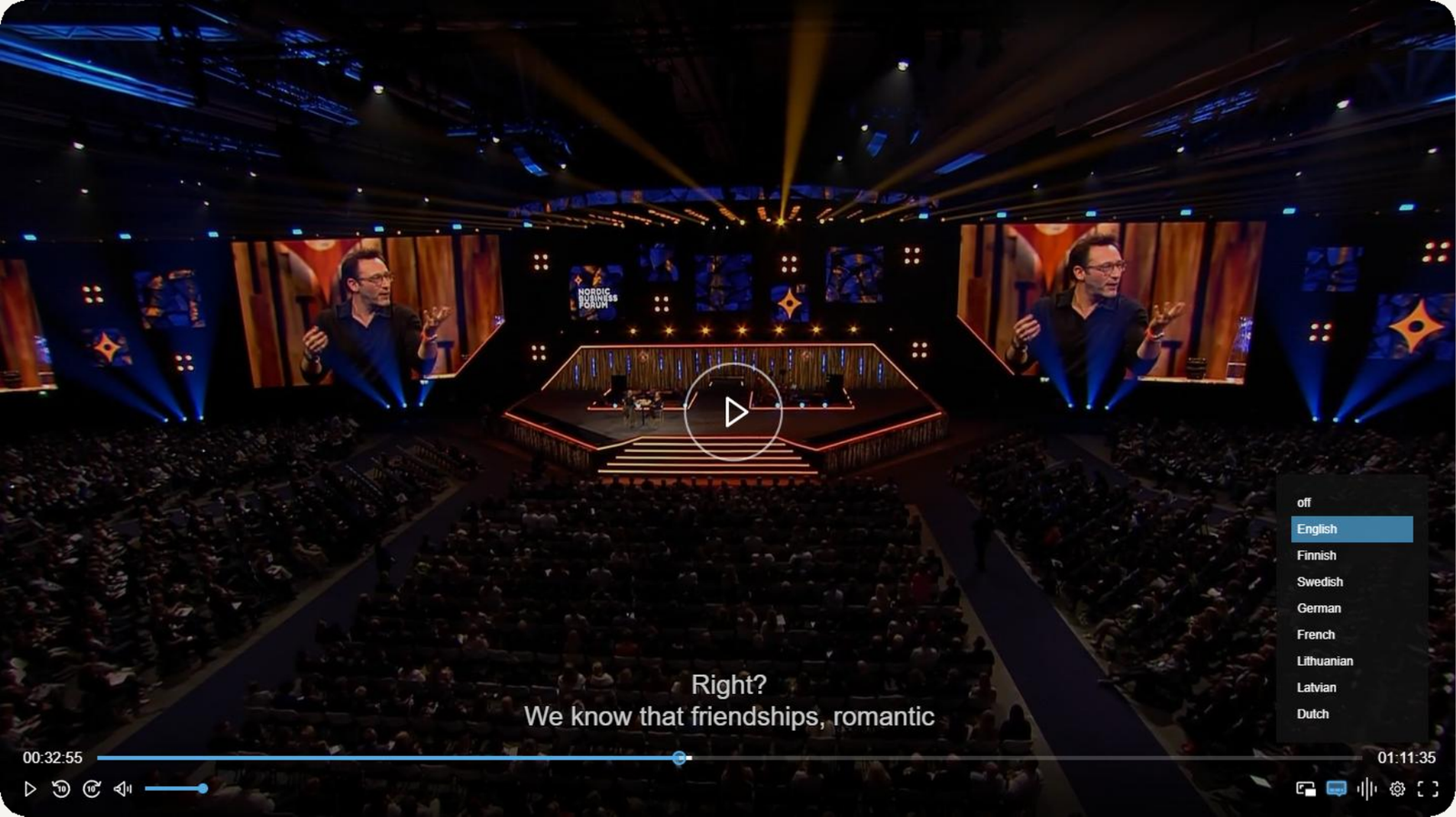
Live Streaming supports more than one audio track at once, so viewers choose the language they want to listen in. Send the original language and a live interpreter feed together, and each viewer picks which one they hear, right in the player. No second stream, no second link to send out.
This is not the same thing as generated translation. Multi-language streaming carries whatever audio your production sends live. If you would rather have a spoken translation produced for you, explore Live Dubbing instead.
Not every event needs a production setup
Live Streaming assumes you already have a production: an encoder, and someone driving it. Plenty of events don't, and don't need one. Web Studio runs the whole thing in a browser instead, with speakers joining from a link and slides living on the platform. Nothing to install, and usually the quicker way in rather than the more advanced one.
It is also where real-time interaction lives. Hand-raising, audience cameras and live moderation happen as a conversation rather than from behind a broadcast delay.
The two are not exclusive either. A produced feed can join Web Studio as a standard camera source, so a professional crew keeps its picture while the interactive layer runs on top of it.
Explore Web StudioTechnical specifications
Questions about Live Streaming
What production software works with Live Streaming?
Anything that can push a standard RTMP feed. OBS, Wirecast and vMix are the most common. If your production system can output RTMP, it can go live on Videosync.
Can I send a fully produced, multi-camera show, not just one camera?
Yes. The complexity, camera switching, graphics, lower thirds, a full gallery build, lives in your production software or vision mixer. Videosync receives the single finished RTMP feed that comes out the other end and takes it from there.
How far behind the room is the stream?
An RTMP broadcast typically sits ten to fifteen seconds behind the room, and that gap is what buys a stable picture for a large audience on very different connections. Where an event needs it, delivery can be tuned to under ten seconds. If you need the audience to talk back in real time rather than watch a broadcast, that is Web Studio rather than a tuned RTMP stream.
Where does the stream get processed, and does it stay in Europe?
Ingest and transcoding run in Stockholm or Dublin, and delivery goes out through Amazon CloudFront from an EU-resident origin. For the full picture on data residency and certifications, see our Security page.
Can viewers choose which language they listen to?
Yes. If your production sends more than one audio track, for example the original language alongside a live interpreter feed, viewers pick which one they listen to directly in the player. If you would rather have a spoken translation generated for you instead of staffing an interpreter, that is Live Dubbing.
What is the difference between Live Streaming and Web Studio?
Live Streaming is the broadcast path: reach and scale, fed via RTMP from your own production. Web Studio is the browser-based, interactive engine behind hand-raising, audience cameras and live moderation. Most events use one of the two, and some use both, with a produced feed joining Web Studio as a standard camera source when interactivity has to run alongside the produced picture.
Can a production company run a client's event through Live Streaming?
Yes, and RTMP is usually how they do it: the gallery output goes in, and our delivery chain takes it from there. Production teams and agencies can find more on our Agencies page.
See it in action
Get a personalized demo and see how Videosync can work for your organization.